
Reviews
Vehicle Collision Physics Simulator offers a unique blend of education and entertainment. The realistic crash physics are impressive and provide valuable insights into vehicle safety. Multiple game modes, including sandbox and crash test, offer variety and encourage creative experimentation. The family-friendly design ensures a positive experience for players of all ages. A great choice for anyone curious about car mechanics and physics.
About this game
Game Introduction
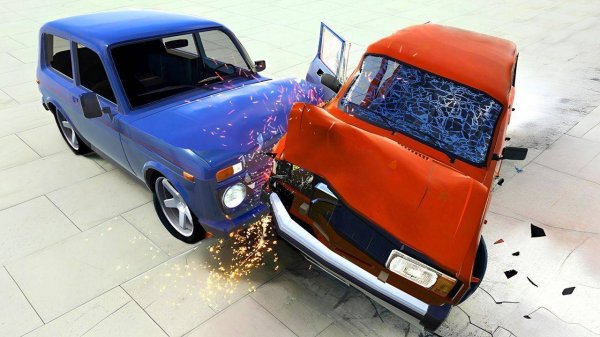
Vehicle Collision Physics Simulator is a driving and physics-based game that focuses on realistic vehicle behavior during impacts. The game provides a safe environment where players can explore how cars react to collisions without any real-world risks. Whether you are interested in understanding vehicle safety or enjoy creative experimentation, this simulator offers a positive and engaging experience. The core objective is to observe and learn from the physics of vehicle interactions, making it both educational and entertaining. What makes this game unique is its emphasis on realistic crash physics, allowing players to see the effects of speed, angle, and obstacles on different vehicles. The game is designed to be family-friendly and suitable for all ages, encouraging curiosity and learning through hands-on experimentation.
How to Play
To play, players typically start by selecting a vehicle and a game mode. In the crash test mode, you drive toward barriers and obstacles to observe how the car withstands impacts. Use the controls to accelerate, steer, and brake while watching damage indicators that show how the vehicle is affected. In demolition derby mode, you compete against other vehicles in an arena to be the last one moving. Sandbox mode gives you full freedom to set up custom scenarios by placing objects and adjusting speeds. The controls are easy to learn, making the game accessible for beginners while offering depth for experienced players.
Game Features
Game features include realistic crash physics that simulate real-world vehicle collisions. Multiple game modes provide variety, including crash test, demolition derby, and sandbox. The interactive sandbox allows you to create your own scenarios by arranging objects and setting speeds. All content is family-friendly and suitable for all ages, ensuring a positive experience for everyone. The game encourages creative thinking as you design unique tests and observe the results.
Tips for Success
You will enjoy the educational value of learning about vehicle safety through hands-on experimentation. The game encourages creative thinking as you design unique tests and observe the results. It is a constructive way to spend time without any violent or inappropriate content.








Comments
Sign in to leave a review
No account? Create one
No comments yet.