
Reviews
Two Racer Arcade Driving offers a straightforward and enjoyable racing experience. The three game modes provide good variety, and the car customization adds a personal touch. The two-player mode is a standout feature, allowing for competitive head-to-head races. Controls are responsive, and drifting mechanics are satisfying to master. It is a safe choice for all ages.
About this game
Game Introduction
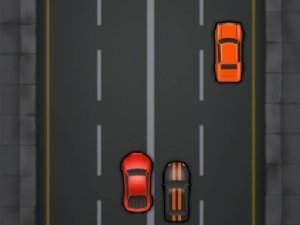
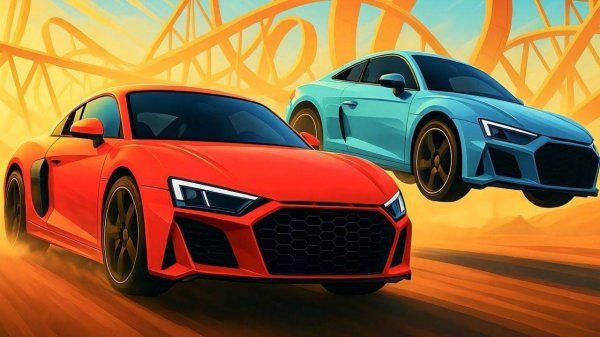
Two Racer Arcade Driving is a driving game where players control a sports car through various tracks. The core objective is to complete races by navigating turns, performing drifts, and maintaining speed. The game offers three distinct modes, providing variety for different play styles. Players can customize their car to adjust performance and appearance, adding a personal touch to the racing experience. The game includes a two-player mode, allowing friends to compete head-to-head in two additional modes. This setup makes each race a fun and engaging challenge. The tracks are designed to test driving skills, with tight corners and straightaways that require careful steering and acceleration. The game is suitable for players who enjoy speed and competition in a safe, family-friendly environment. It focuses on driving mechanics and strategic use of controls rather than any violent or inappropriate content.
How to Play
Players start by selecting one of the three game modes. Controls typically involve using arrow keys or on-screen buttons to steer, accelerate, and brake. Drifting around corners is a key technique to maintain speed and control. In single-player modes, players practice on tracks to improve their lap times and learn the layout. In two-player mode, each player uses their own set of controls to race simultaneously. The goal is to finish first in each race to earn points. The game is easy to learn, with simple controls that allow new players to start quickly, while offering depth for those who want to master advanced driving techniques.
Game Features
Three distinct game modes offer variety in gameplay. Car customization allows players to adjust performance and visual elements of their vehicle. A two-player mode enables head-to-head racing with a friend, adding a competitive element. The game includes drifts and stunts that can be performed on tracks to maintain speed and navigate corners. The tracks are designed with curves and straight sections to challenge driving skills. The game provides a straightforward racing experience without complex storylines or inappropriate content, making it suitable for a broad audience.
Tips for Success
Practice drifting around corners to maintain speed and control. Experiment with different car customizations to find a setup that matches your driving style. In two-player mode, learn the track layouts thoroughly to anticipate turns and plan overtakes. Consistent practice in single-player modes helps master the controls and improve lap times. Stay focused and avoid unnecessary collisions to keep momentum. Observing how other players handle difficult sections can also provide useful strategies.





Comments
Sign in to leave a review
No account? Create one
No comments yet.