
Reviews
3D Cube Path Puzzle offers a satisfying mental workout with its simple yet strategic tap-to-path mechanics. The 100 levels gradually increase in difficulty, keeping the gameplay fresh. The clean graphics and soothing colors make it easy on the eyes, while the coin system for unlocking skins adds a nice personalization touch. Perfect for puzzle fans of all ages.
About this game
Game Introduction
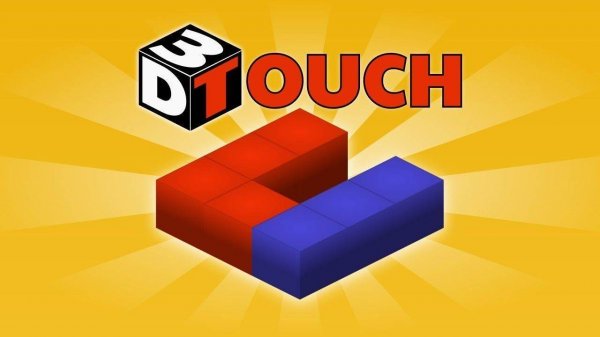
3D Cube Path Puzzle invites players into a colorful three-dimensional world where cubes form the foundation of each puzzle. The core objective is to create a path that reaches every character on the board. Each tap on a cube generates a route forward, but you cannot step back once a cube is activated. This simple rule forces careful planning and strategic thinking. The game features 100 uniquely designed levels that gradually increase in difficulty, providing a satisfying mental workout. The clean three-dimensional graphics and soothing colors create a focused atmosphere ideal for problem-solving. Whether you are a casual player or a puzzle enthusiast, this game offers a rewarding experience that sharpens your logic skills.
How to Play
On each level, you see a set of cubes and characters that need to be reached. Tap a cube to activate it and create a path from that point. Once you move to a new cube, you cannot return to previous cubes, so plan each step. Your goal is to chart a course that selects every character. If you make a mistake, restart the level with a single tap. As you complete puzzles, you earn coins. These coins unlock various colorful skins to customize the appearance of your cubes and characters, adding a personal touch to your puzzle journey.
Game Features
100 challenging logic levels that test your planning skills. Intuitive tap-to-path gameplay that is easy to learn. Coin collection system for unlocking skins. Family-friendly 3D puzzles with no inappropriate content. Soothing colors and clean graphics that reduce eye strain.
Tips for Success
Plan your route before tapping any cube. Since you cannot step back, look ahead to ensure your path will reach all characters. Use the restart button freely to experiment with different strategies. Practice regularly to improve your ability to visualize the entire path. Focus on the order of characters to avoid getting stuck.




Comments
Sign in to leave a review
No account? Create one
No comments yet.