
Reviews
Guardian Line Defender delivers a solid browser-based action experience that respects the player's time. The mission briefings provide clear direction, and the gradual difficulty curve keeps the challenge fair. Controls are responsive and intuitive, making it easy to focus on tactical decisions. The lack of downloads or account requirements is a major plus for casual play. While the game does not offer extensive content variety, its core loop of positioning and timing is executed well. It is a good choice for players who enjoy straightforward, objective-driven action games.
About this game
Mission Structure & Objectives
Guardian Line Defender presents players with a series of distinct missions, each introduced by a brief description of the goal. These objectives vary from holding a position to neutralizing all threats in the area. The clear mission briefings help players understand what is required before each encounter begins. This structure keeps the gameplay focused and gives each session a clear purpose.
Controls & Desktop Experience
This game is built exclusively for desktop computers. Players use the mouse to aim and the left button to activate their primary tool. Movement is handled through the WASD or arrow keys. The control scheme is straightforward, allowing players to concentrate on strategy rather than complex inputs. A full screen mode is available for those who prefer a more immersive view.
Defensive Tactics & Positioning
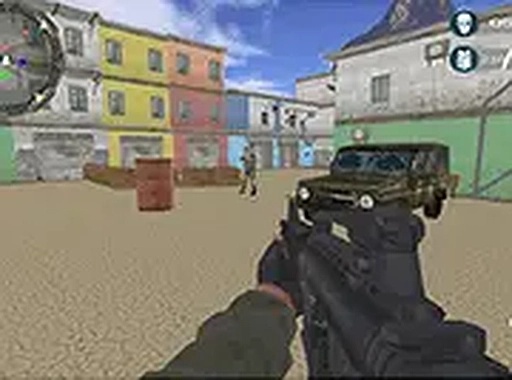
Success in Guardian Line Defender depends on smart positioning. Using cover effectively reduces the chance of taking damage. Players must also manage their tool's energy by reloading during safe intervals. Each level increases in difficulty, introducing more numerous or faster opponents. Staying behind barriers and moving between safe spots are essential habits to develop.
Progression & Challenge Curve
The difficulty ramps up gradually across missions. Early levels allow players to learn the basics of movement and aiming. Later stages require faster decision-making and better resource management. The game rewards patience and careful planning over reckless aggression. This steady increase in challenge keeps the experience engaging without becoming frustrating too quickly.
Accessibility & Platform
Guardian Line Defender runs directly in a web browser with no downloads or installations required. It is free to play, making it easy to start a session at any time. The desktop-only design ensures precise control with a keyboard and mouse. This combination of accessibility and focused design makes it suitable for quick gaming breaks.









Comments
Sign in to leave a review
No account? Create one
No comments yet.